
I’m dyslexic. During my studies, I dreamt of a tool that would really understand the way I write.
It didn’t exist, so I built it.
Paolo Le Guillou
Founder of LexyLab
For Windows and Mac (Apple silicon, beta)
LexyLab is a spell checker designed for dyslexia, on Mac and on Windows PCs. It understands words written the way they sound and helps you as you write, in Word, Pages, Mail, Notes or your browser.
Features
Writing support for people with dyslexia: pupils, students and adults.
LexyLab spots spelling mistakes, mixed-up words and words run together as you type, in your apps.
Built for the typical mistakes of dyslexia: suggestions start from how the word sounds, so “skool” becomes “school” and “nite” becomes “night”.
For words that are easy to mix up, like your and you’re or their and there, LexyLab tells you why, in one short sentence.
Your welcome → You’re welcome “Your” shows ownership. Here it means “you are”: you’re.
It lives in the menu bar and starts with your computer. You forget about it until you need it.
How it works
Download the app and drag it into your Applications folder.
In System Settings, turn LexyLab on under “Accessibility”. That’s what lets it see what you write. For PowerPoint, also turn it on under “Input Monitoring”.
LexyLab whispers its suggestions at the right moment, without switching apps.
LexyLab in action
You write in Word, Gmail or Outlook: LexyLab underlines the mistakes and suggests the right correction, right next to the word.
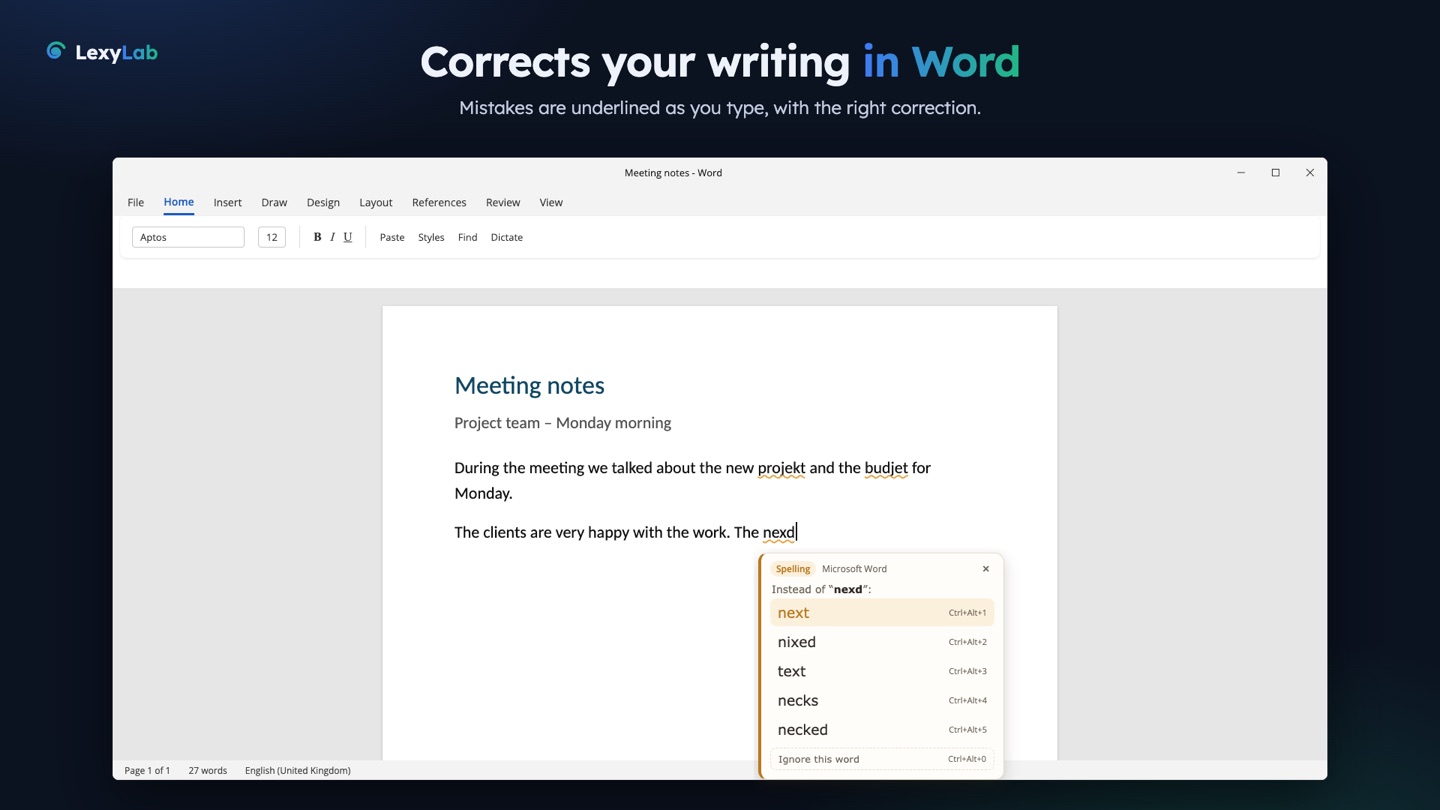
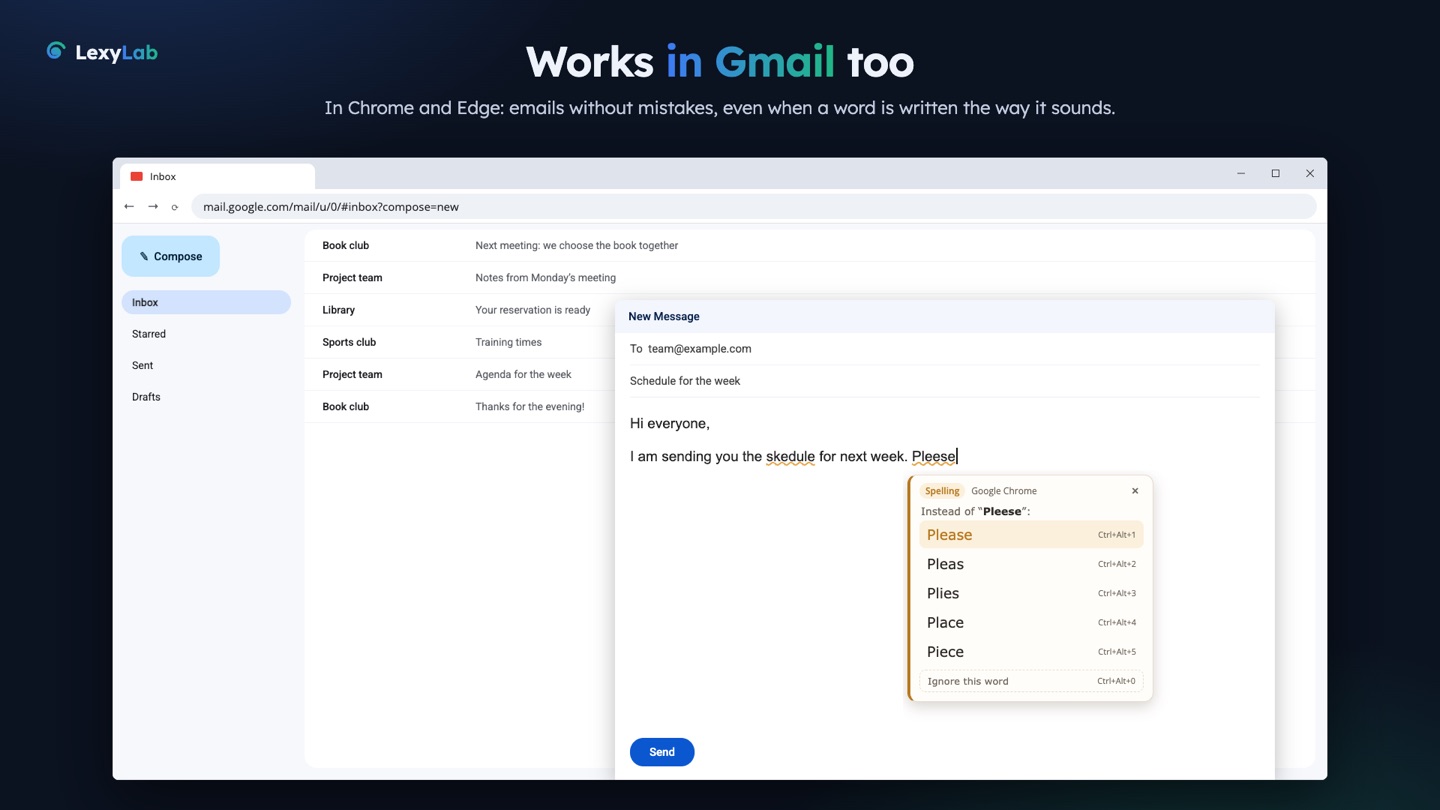
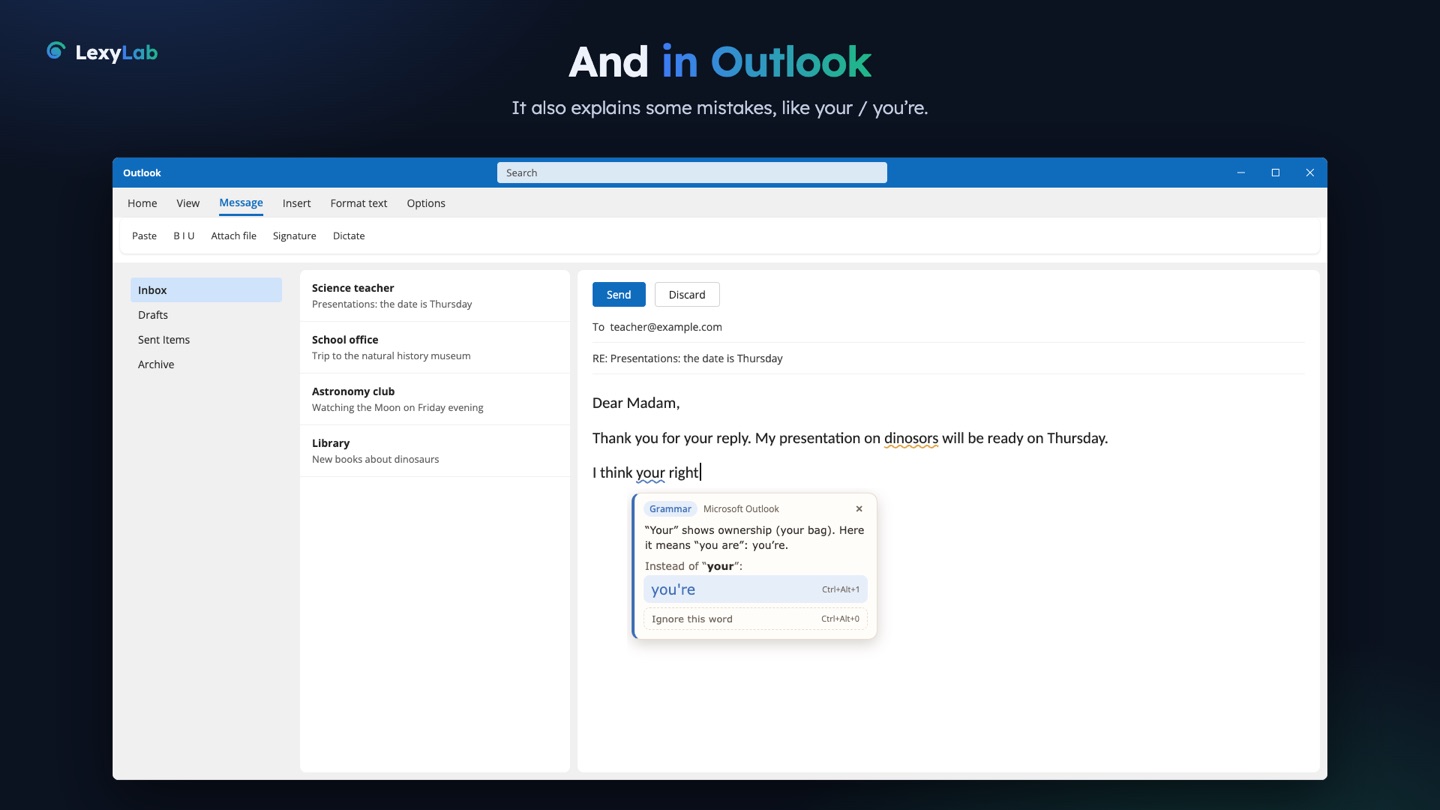
Examples on a Windows PC. On Mac, LexyLab works the same way.
Pricing
Founder
I’m dyslexic. During my studies, I dreamt of a tool that would really understand the way I write.
It didn’t exist, so I built it.
Paolo Le Guillou
Founder of LexyLab
There’s no magic recipe, but a few habits help: first get your ideas down without stopping for spelling, then read it back later, out loud if you can. A spell checker designed for dyslexia, like LexyLab, helps while you type: it finds the right word even when it’s written the way it sounds, and it points out words that are easy to mix up. Support from a specialist dyslexia teacher or a speech and language therapist is still the best way to make progress.
A spell checker for dyslexia has to understand phonetic mistakes, meaning words written the way they sound, not just typos. That’s what LexyLab does: it starts from how a word sounds to suggest the right one (“skool” → “school”), it spots words that are easy to mix up and words run together, and it works directly in your apps, on Mac and Windows.
A regular spell checker mainly compares letters: it’s made for typos. LexyLab also compares how the word sounds, which lets it find “because” behind “becos”. It also explains some mistakes in one sentence (your or you’re, their or there…), and everything happens on your computer: your texts are never sent.
Yes, that’s why it was created. It suggests the right word even when it’s written the way it sounds (“nite” → “night”), and it spots words that are easy to mix up and words run together. It’s a writing aid, not a treatment: it doesn’t replace support from a specialist teacher or therapist.
Yes, for correcting: all the checking happens on your computer, even offline, and your texts are never sent. The internet is only needed to download the app and to manage your account and subscription.
Windows 10 and 11 PCs, with the official version from the Microsoft Store, and Macs with Apple silicon (M1 or later) running macOS 12 or later, in beta (test version). On Mac: Word, Excel, PowerPoint, Outlook, Pages, Notes, Mail, TextEdit and browsers (Safari, Chrome, Edge, Brave, Arc…). For Google Docs, turn on “Screen reader support”. On Windows: Word, Outlook, Notepad, Chrome, Edge and Firefox. For your security, LexyLab never reads passwords, Terminal or password managers. An iPad version is planned for later.
LexyLab corrects English (British), French, Dutch and German. It recognises the language of your text on its own, and you can also choose it in the settings. The app itself is available in English, French, Dutch and German.
macOS requires this permission for any app that reads the text typed in other apps. Without it, LexyLab can’t help you.
Yes, if they do their homework on a computer. LexyLab suggests the right word and explains some mistakes, which helps them understand instead of just correcting. For a young child, an adult can help at the start to install the app and choose between the suggestions.
It can, but it’s the school, college or university that decides which tools are allowed, especially in exams. Talk to them and, if you have one, to your specialist teacher or assessor.
No. LexyLab works entirely on your computer: your texts never leave it. See the privacy policy.
LexyLab is a subscription at €7.50 a month, which gives you all the features and updates. You can cancel at any time from your account (see the terms of sale).
Contact
A question, a bug, an idea? Write to us, we reply within 48 hours.
Send an email
Install LexyLab and get your ideas down, more clearly.
On a PC: the official version, on the Microsoft Store. On a Mac: the beta version, still being tested.